Why I Built Vocabie: From Knowing Words to Actually Using Them
The story behind Vocabie, from a simple request to learn more words to a released vocabulary app built around active practice, personalization, and daily learning.
It Started With a Simple Request
The original idea for Vocabie came from my girlfriend. She wanted a better way to learn more words and thought an app focused specifically on vocabulary could help. At first, that sounds like a small product: show somebody a word, give them its meaning, and help them remember it.
I could relate to the problem myself. My English was already advanced, but I still ran into words I understood immediately while reading and rarely reached for when speaking or writing. I knew what they meant when I saw them. That did not mean they were available to me when I wanted to express something.
That difference became more interesting than making another list of digital flashcards. The question I started asking was: what would help a word move from something I have seen to something I can understand, remember, and use?
Recognizing a Word Isn't the Same as Knowing It
There are several steps between encountering a word and using it confidently. I might recognize it in an article, remember a definition after looking it up, and understand it in one sentence. Hearing it in a conversation is another situation. Recalling it without a prompt is harder still, and then I have to use it in a sentence that makes sense and sounds natural.
I do not mean that these steps form a precise scientific measurement of language ability. They were a useful way for me to describe the product problem I wanted to work on. A familiar definition can create the feeling that a word is known, even if the word rarely comes to mind during actual communication.
That gave Vocabie a direction. The app should help people meet a word in context, see it again later, and practise retrieving it in different ways. The goal is not to label a learner's ability from one answer. It is to offer more useful opportunities to work with vocabulary.
From a Word List to a Learning System
A word-of-the-day app would introduce vocabulary, but it would leave most of the product questions unanswered. How many new words should appear in a session? Which ones should return for review? How should learners find words at an appropriate level? What changes when a learner wants to expand a language they already speak instead of studying a new language?
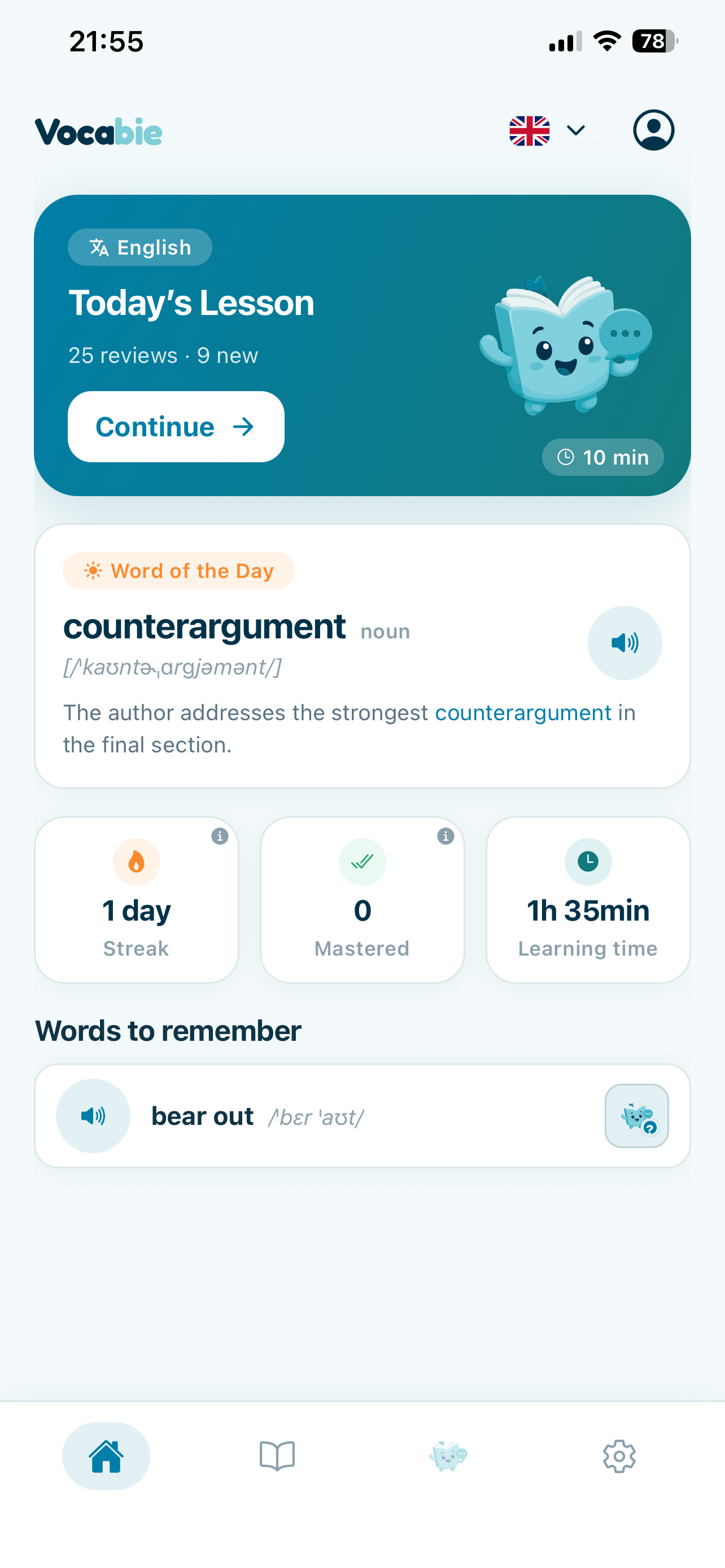
Answering those questions expanded the idea into a learning system. Vocabie now combines daily lessons and a configurable new-word target with review, contextual examples, pronunciation, progress, and a word library. It supports English, Spanish, French, Czech, and Thai. Some learners are improving vocabulary in a familiar language; others are studying words in a language they are learning.
Exercise variety followed from the same idea. A definition prompt, a listening exercise, a sentence completion, and a writing task put the learner in different positions. I wanted practice to move between recognizing a word and trying to retrieve it, while keeping the daily session manageable.
Designing for Active Use
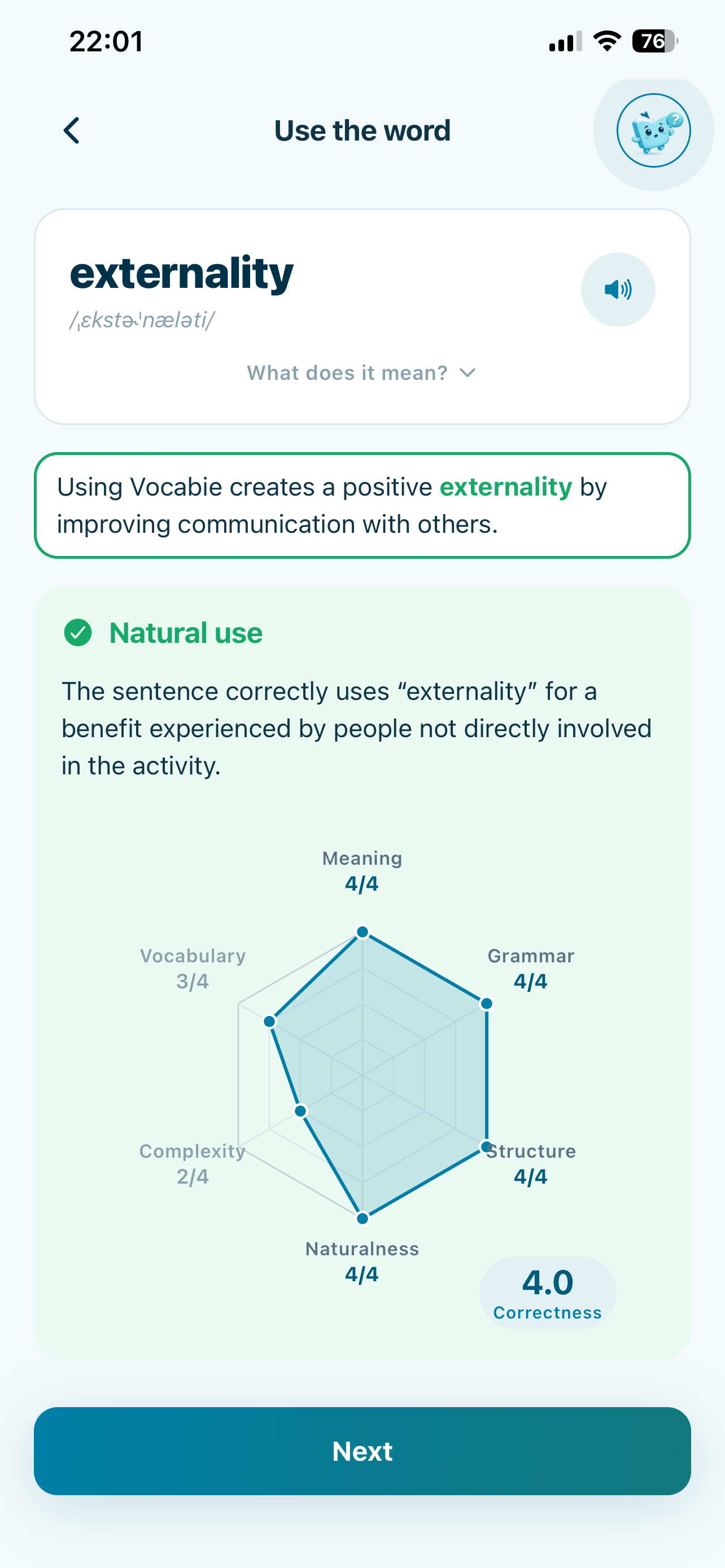
The clearest example is Use the word. Selecting the right definition from a list can tell you whether you recognize a meaning. Writing your own sentence requires you to decide how the word fits with the rest of what you want to say.
In Vocabie, a learner gets a target word and writes a sentence with it. The feedback screen can comment on meaning, grammar, structure, naturalness, complexity, and vocabulary. I see that as practice feedback: a way to reflect on an attempt and try again. It is not a standardized language assessment, and a score on one sentence cannot capture everything a learner knows.
That distinction affected how I thought about the product. If the point is productive use, then the interface needs to support an answer that comes from the learner, and the response needs to be clear enough to guide another attempt. A multiple-choice question and a written response are different interactions, so they need different feedback.
Giving AI a Specific Job
I did not want the design question to be simply, “How can I put AI into an app?” A more useful question was: where can a responsive language model help with something that a fixed entry cannot easily address?
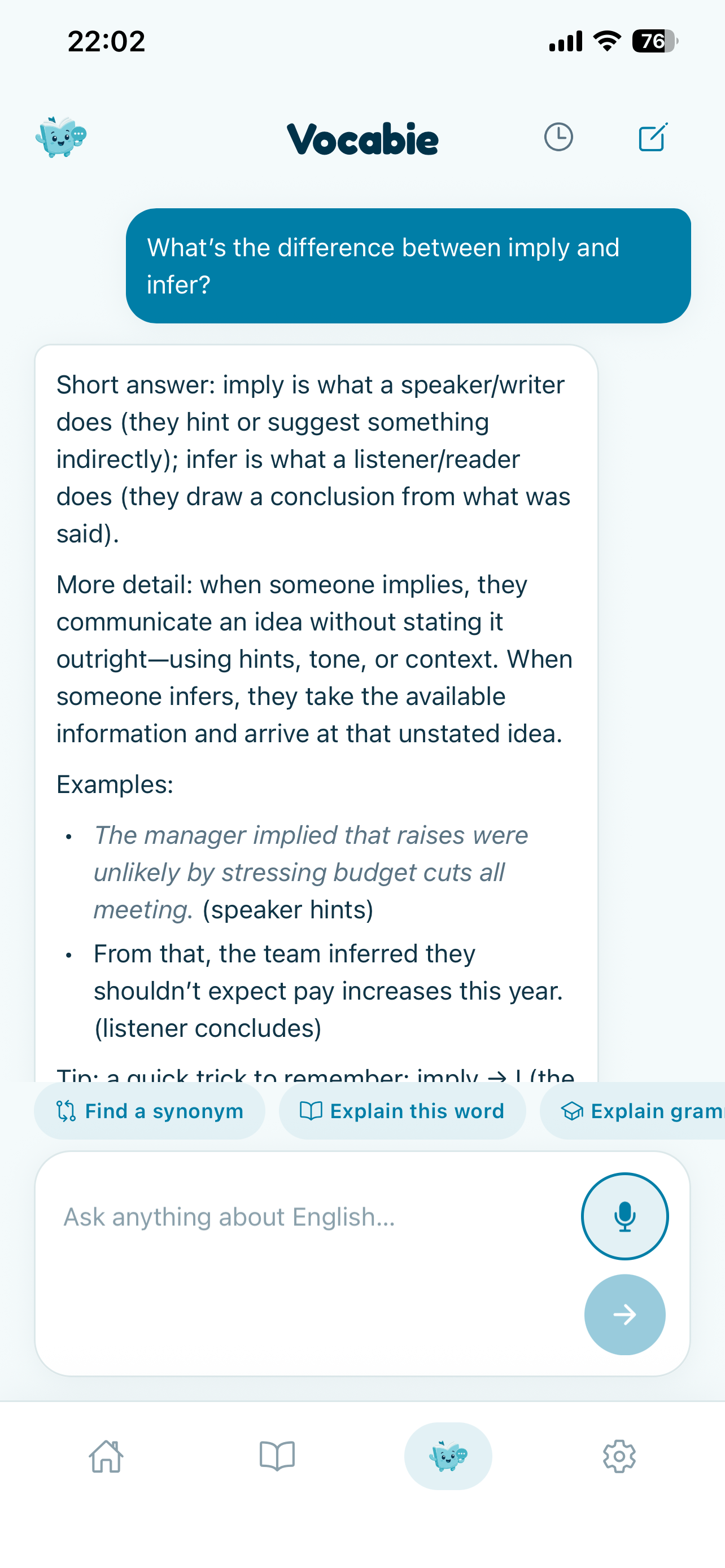
The AI Coach gives learners a way to ask their own questions. They can ask for a word explanation, compare similar words, look for a synonym, ask about grammar, or explore how context changes usage. The value is in responding to a specific question rather than repeating a prewritten definition.
That makes AI one part of Vocabie, with a bounded role. Daily lessons, vocabulary data, review, and other exercises still shape the learning experience. I avoid describing the coach as a replacement for a teacher or a guarantee of correct language assessment. It is an interactive aid for exploring language.
Making Repetition Less Repetitive
Review means returning to words, but it does not have to mean showing the same flashcard in the same way every time. Vocabie includes exercises for meaning, sentences, writing, listening, synonyms and opposites, as well as conversation practice and difficult-word revision. The word library gives learners a place to revisit vocabulary outside the current lesson.
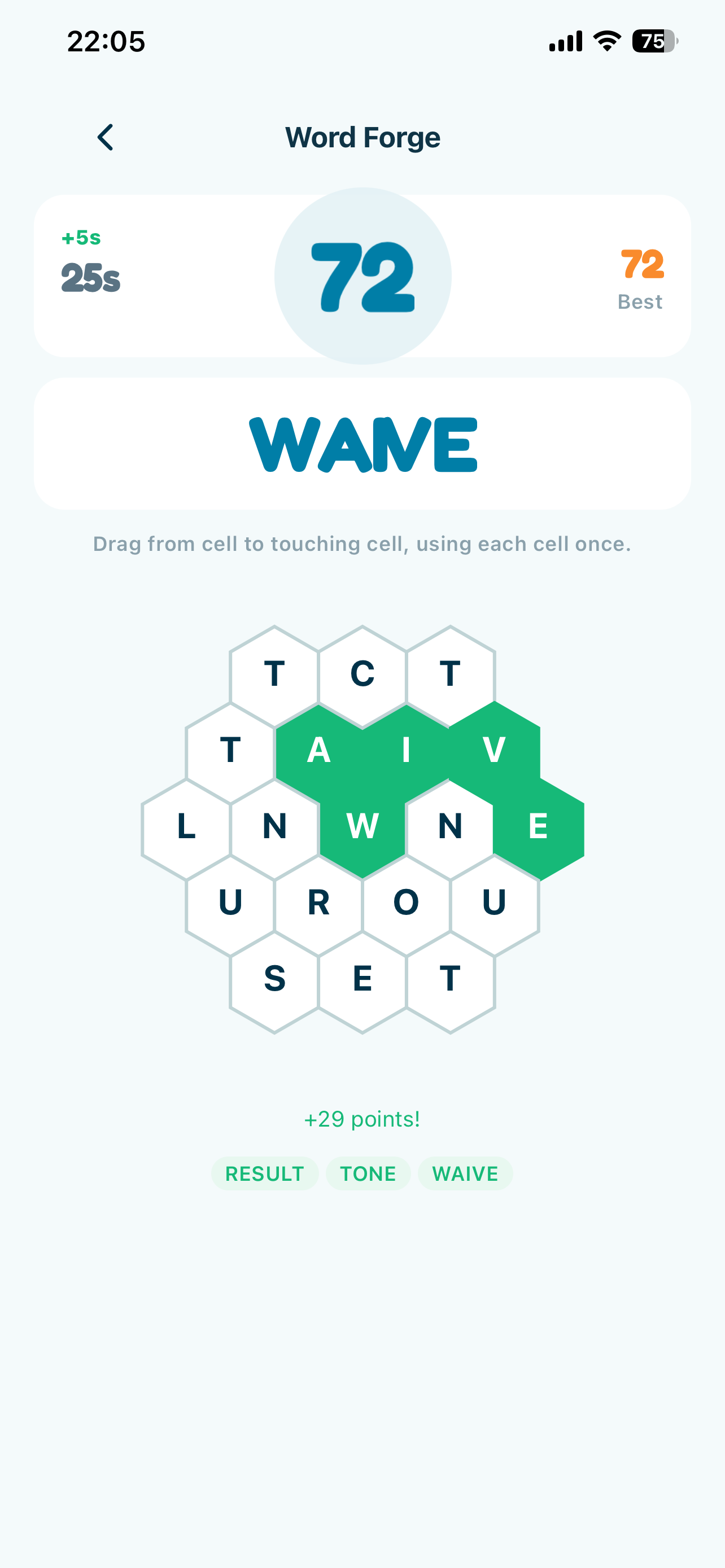
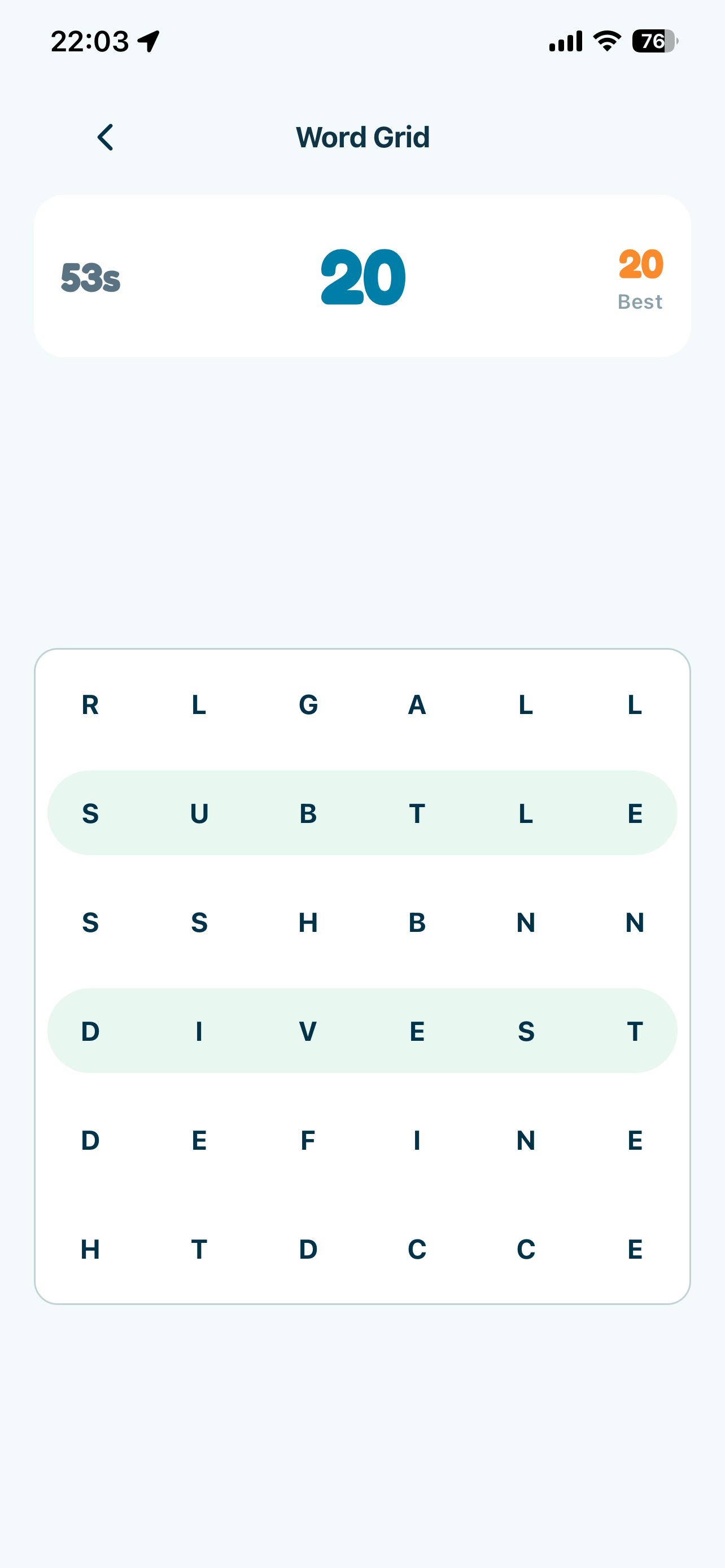
The games extend that practice in a shorter format. Match Rush focuses on matching, Opposites works with antonyms, Word Grid is a visual word search, and Word Forge asks players to construct words. They are connected to the vocabulary goal: find another way to retrieve or recognize words the learner has encountered.
Building Vocabie as a Real Product
As the idea expanded, so did the engineering work. A released app needed a mobile interface that stayed consistent across daily lessons, individual exercise screens, games, the word library, and the AI Coach. It also needed learner state, vocabulary content, authentication, backend data, audio and listening support, and progress that could be shown back to the learner.
Vocabie is built with React Native, Expo, and TypeScript. Supabase provides backend and data infrastructure, and RevenueCat handles subscriptions and entitlements. Around those pieces are product tasks that do not fit neatly into a framework list: onboarding, choosing a new-word target, explaining the value of a paid plan, making subscription behavior clear, and preparing the app and its materials for App Store review.
I also had to think about content as part of the product. Definitions, examples, pronunciation, difficulty, and the way vocabulary is revisited all affect whether an exercise is useful. The app can have a polished screen, but the experience still depends on the learner being given a word and context that make sense.
I have kept the technical description here at the level I can support publicly. The important product shape is a mobile client connected to Supabase for application needs, AI-powered language interactions, and RevenueCat for subscriptions. I am not turning that into a claim about a particular model provider or a more detailed deployment architecture.
Shipping It
Vocabie is now a released iPhone app on the App Store. Release meant checking that onboarding, daily learning, practice, and subscriptions fit into one installable product, then preparing the store listing and the rest of the material people need before they download it.
I also submitted Vocabie to RevenueCat Shipaton 2026. That gave the release a useful milestone, but the app's purpose began with a real request to learn more words and continues beyond any competition.
The finished product is broader than the first thought of a vocabulary app. It is still actively developed, because a release answers some questions and reveals others once people can use it as an actual product.
What I Learned
The original request was small, but the product required decisions about learning progression, content, review, different exercise types, account and data flows, AI interactions, subscriptions, and release. A simple problem can grow into a large system when the product has to support the whole experience around it.
I also learned that content quality and interface quality are tied together. An exercise can be easy to understand and still be unhelpful if its word, example, or feedback does not fit. Active practice changes product design too: asking someone to produce language is different from checking whether they can recognize the right answer.
AI was most useful when I gave it a specific job in the product, such as helping someone explore an individual language question. It did not need to become the whole product. And shipping exposed questions that a prototype could leave vague, especially around onboarding, subscriptions, and how a learner returns to the app day after day.
Vocabie started because somebody wanted to learn more words. The more interesting challenge became figuring out how to help those words survive the distance between seeing them and actually needing them.
You can see the released product on the Vocabie project page or download it from the App Store.
Where this appears in my projects
Related Tutorials
How to add in-app purchases to an Expo app with RevenueCat: entitlements over product IDs, why restore is mandatory, and why the client is the wrong place to trust a purchase.
The full path from a working Expo project to an approved App Store release: build profiles, credentials, versioning, TestFlight, and the review rejections that are easiest to avoid.